A first-person account from The Timberline: the five guest message automations that changed how our team runs the hotel.
We’ve always automated guest messages at The Timberline. I built our first system in Zapier just to get us started, and now Hello Hotel® has supercharged what we can do. These are the automations I’m most excited about.
At The Timberline, we have 16 rooms and a team you could count on one hand. Most of what guests need to hear from us is predictable: their door code, where to park, what we recommend for dinner, a note after they leave.
The Zapier system worked on timing, but it couldn’t see much beyond that. I couldn’t condition a message on whether the guest was a repeat, whether the room was actually ready, or whether they had already texted us first. The pieces that needed real personalization still went out by hand.
Hello Hotel changed what’s possible. The PMS data we now have access to is rich, the conditions we can filter on are specific to how a hotel actually operates, and the triggers fire on almost any event during a stay. The automations stopped being timing rules and started being context-aware.
Pre-arrival texts
The most important message a small hotel sends is the one before a guest arrives. It’s the door code, the parking situation, the check-in window, whatever we want them to know before they pull into the lot at 9pm in a snowstorm.
We’ve always automated this one. With Zapier, the pre-arrival fired at 10am for any reservation made in advance, and we had a more complex setup to catch same-day arrivals before they walked in unprepared. It worked, but every guest got the same text.
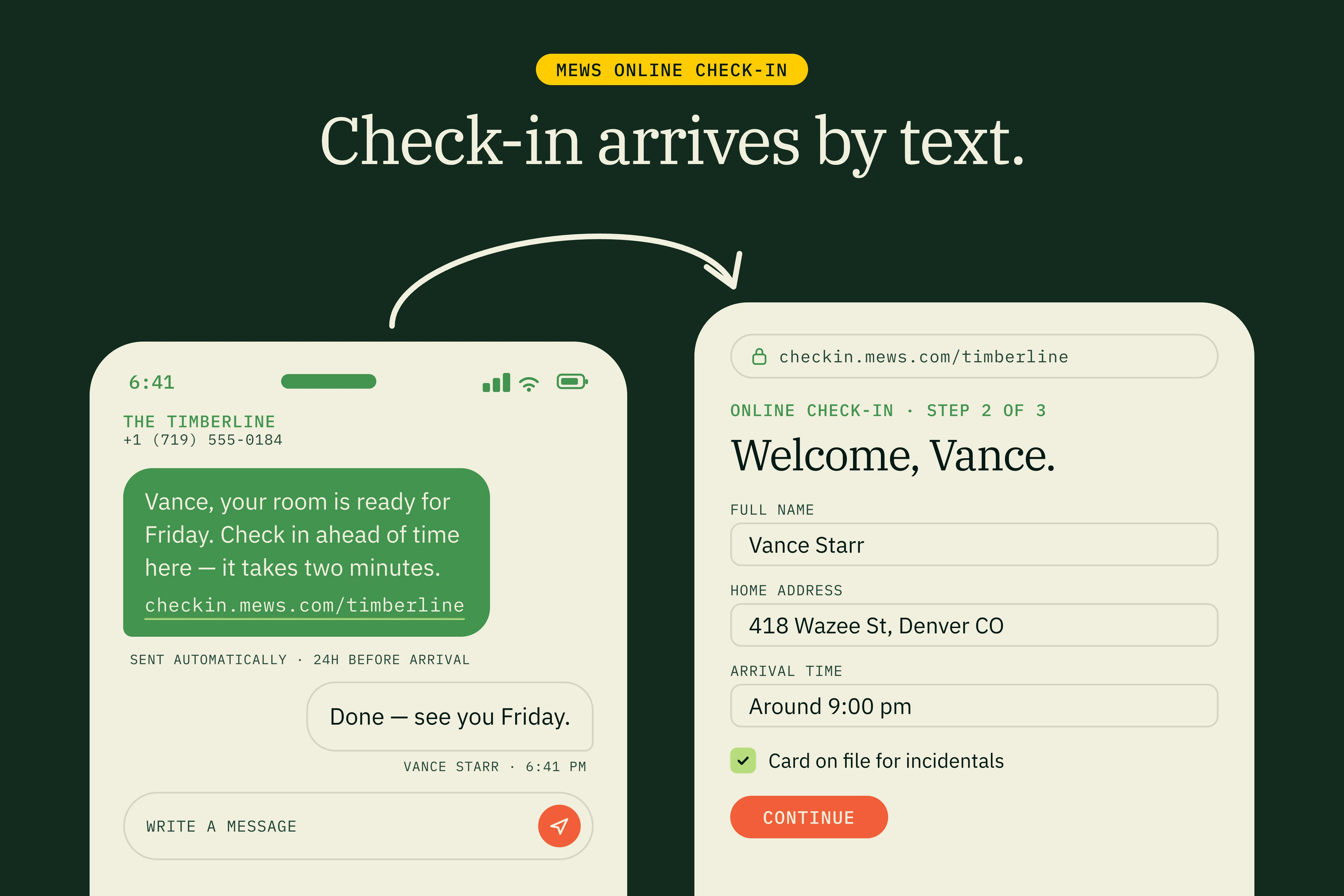
Hello Hotel splits the pre-arrival into distinct paths based on what the guest has done in Mews. If the guest has completed online check-in, the text confirms their door code and parking. If they haven’t, the text includes their personal check-in link with a nudge to complete it, and the automation continues to follow up. Once they check in, the door code goes out.
That branching is what makes the pre-arrival actually useful instead of generic. It also means nobody on the team has to manually check Mews to see who’s completed check-in yet. The system sees it and responds.
Day-of door code delivery
The second automation runs the morning of check-in and re-sends the door code with a “you’re checking in today” framing. This sounds redundant, but it isn’t. The night-before text gets read in bed and forgotten, while the morning-of text gets read in the car on the way to the property. That’s the moment the door code actually needs to be in their pocket.
The piece that changed how our team operates isn’t the message itself, it’s what the system can see. Our Mews integration keeps us aware of every guest’s check-in status in real time. If the morning-of text fires and the guest hasn’t completed online check-in yet, the message includes their personal check-in link. If they’ve already checked in, it doesn’t. Before automation, that check happened in someone’s head: open Mews, find the reservation, see whether they’ve checked in, look up their personal check-in link, switch over to the messaging tool, write the text. That was half a dozen context switches per arrival, repeated for every confirmed booking on the schedule.
Now the system does the cross-referencing for us. Nobody on the team has to keep one eye on Mews to know who’s coming today, and nobody has to remember to swap tools to send the right message. The automation closes the loop between the two systems we used to have to bridge by hand.
This is the text guests reply to most. They ask about late arrival, parking, whether they can drop bags before their room is ready. Those replies land in our shared inbox, so whoever is on shift sees them with the full reservation context attached. They can answer without hunting for who the guest is or what reservation they’re on.
The other thing this automation gives us is room to step away. Our team can be away from the desk for a few hours in the middle of the day, and arriving guests still get an instant response with everything they need. Nobody is pacing the lobby waiting for someone to walk in with a question that the text already answered.
The room ready text
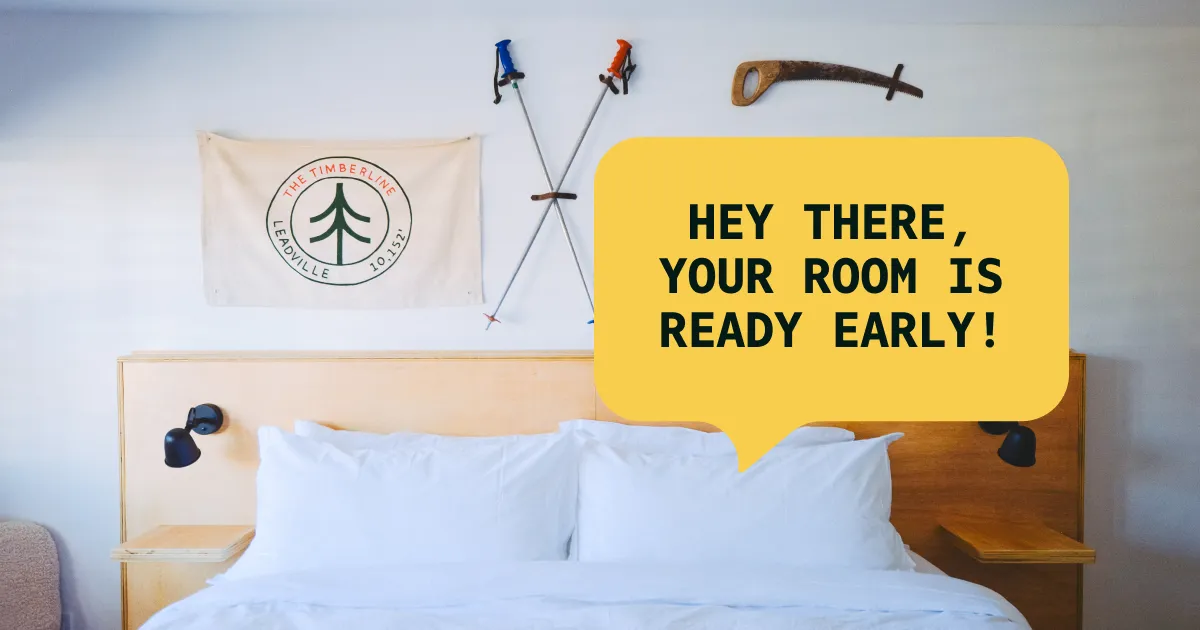
This is the biggest one. The moment housekeeping marks the room as ready in Mews, the guest gets a text: “Your room is ready, you can come anytime.”
There are a lot of ways to set this up. We trigger it on the room-inspection step in Mews, because that’s the moment we know a room is genuinely ready for a guest. Other properties might trigger it when the room is marked clean, or when the guest’s online check-in completes. The trigger maps to whatever moment in your workflow means “this guest can come now.”
For a small hotel without a 24/7 front desk, this matters more than it sounds. Mid-afternoon is one of our busiest windows, with checkouts, cleaning, and arrivals overlapping. Without this text, every early-arriving guest was another interruption while we were trying to turn rooms. With it, guests know they can come whenever and the team can stay focused on the work.
Most guests have spent the drive into Leadville assuming they have to wait until our 3pm check-in time to get into a room. A text at 11am saying “your room is ready, come whenever you arrive” is a small thing, but it lands as an act of goodwill before they’ve even pulled into the lot.
It changes the first interaction. Instead of a tired guest walking in unsure whether their room will be ready, they arrive with the message already on their phone, knowing exactly where to go and what to do. The check-in conversation starts in a different place.
It also takes a back-and-forth off our team’s plate. Guests used to call or text mid-drive to ask “is my room ready yet?” We’d check, respond, and then they’d arrive 30 minutes later and ask again at the desk. Now the system tells them the moment it’s true, and we stop fielding the same question on every arrival.
This was the biggest unlock for both sides. It’s the automation that gets us the most unprompted thank-yous from guests, and it’s a foundational relationship builder before any in-person interaction even happens.
Mid-stay check-ins
For stays of three nights or more, a text goes out on the second night. We don’t do daily housekeeping by default, so the text asks the practical question alongside the friendlier one: “How’s everything? Need a refresh, supplies, or housekeeping? Any travel recommendations?”
The point of this one isn’t engagement. It’s to catch small problems before they become a one-star review.
A guest with a faulty showerhead will sometimes mention it on their way out the door. They will sometimes mention it in a Google review. They will almost never call the front desk to report it. But if we ask, in a text, the night they would otherwise be stewing about it, a surprising number will say “actually, the shower in 4 isn’t great.”
We fix it that night. They check out happy. That doesn’t happen if no one asks.
Post-stay thank-yous
The post-stay text goes out the day after checkout. It thanks the guest for staying and includes a review request.
I’d say this is the least exciting automation on the list, except we didn’t actually run it until Hello Hotel made it possible. The issue wasn’t sending the message, it was filtering. We needed to skip the thank-you for certain guests: the one who left a frustrated voicemail, the booking that ended in a refund, the stay that had a problem we hadn’t fully resolved. With our old Zapier setup, we couldn’t reliably exclude those cases, so we either sent the thank-you to every guest including ones it would be tone-deaf to ask for a review, or we didn’t send it at all. We mostly did the latter.
Now the filter is granular. I can pause the automation per reservation, per guest, or per tag. If a stay went sideways, the automation knows to stay quiet.
Since we turned this one on, our Google review volume has roughly tripled per week. We used to ask for reviews by hand, mostly through email, and the combination of email open rates and the lift of remembering meant most stays didn’t get one. Texts asking at the right moment, with the filtering to skip the ones that shouldn’t go, changed that.
How we customize each automation
Every automation is customizable per guest, per booking type, and per condition. That flexibility is part of what makes them feel less like robotic blasts and more like an extension of the team.
The customization I use most is the repeat-guest path. When a guest has stayed before, the automation knows it. The pre-arrival skips the formal welcome and goes right to the practical stuff for this stay, with a more casual and personal note for someone we already have a relationship with. Repeat guests don’t get the same templated text a first-time guest does, and they shouldn’t.
The customization layer matters as much as the automation itself. The whole point is that the routine stuff is handled, and the team’s attention stays available for the moments that need a person.
What I stopped doing
This isn’t really about a personal checklist disappearing. The bigger shift is what the automations let our team focus on instead.
When the routine messages handle themselves, the front desk has more time to actually be at the front desk. There’s more time to answer the phone when it rings, more time to spend with the guests who are there in person chatting about their day or helping them figure out where to eat, more time to pitch in when something needs attention on the property: a maintenance issue, a setup ask for a group, a problem we’d want to know about right away.
Summer in Leadville is intense. Having someone genuinely present during those days makes a real difference for both the team and the guests. The person on the floor isn’t stuck checking Mews to see which guest still needs a door code text. They’re actually available.
There’s also a layer underneath the message automations that I didn’t expect: the work I used to do checking whether the system itself was running. The old Zapier setup was brittle and patched together, with enough moving parts that I’d spot-check every few days to make sure messages were actually going out. Now that Hello Hotel speaks directly to Mews, the data path is shorter, and I just know it works. I have a lot of my brain back.
And there’s one more thing I stopped doing: wondering whether each guest made it into their room without trouble. The RemoteLock integration shows door-code access per guest, so before we sign off for the day, I can see whether the night’s arrivals are inside. If a guest hasn’t accessed their room and it’s getting late, we reach out. If they have, we know they’re settled. That’s another kind of relief at the end of a long day.
That’s the trade. Automations don’t replace the warmth. They protect the budget you have for it.
If you want to see how we built these
These automations run on the same shared inbox that handles the rest of our guest communication. Every message that goes out gets logged in the thread, so the next team member who reads the conversation sees the full picture, including what was automated.
If you’re running a small hotel and want to see how this works, book a demo. I would love to talk with you and hear about your process, and I’m confident we can build something that fits exactly how your business already operates.